![What Is Email Outreach? Guide + 5 Templates [2026] | Tiny Command](https://cdn.prod.website-files.com/69b7d8230024020a3d6fe75c/69b7d8230024020a3d6febe9_email-outreach-1.webp)
What Is Email Outreach? Definition + 5 Templates (2026)
Table of Contents
The last cold email I sent that got a reply had 47 words. The one before it had 312 words and a custom GIF. Guess which one booked a meeting.
The short one. Obviously.
I've sent somewhere north of 10,000 outreach emails over the past four years. Built sequences for SaaS sales teams, link building campaigns, partnership pitches, and reactivation drips for churned customers. Most of what I learned came from getting ignored. A lot. The open rates were fine. The reply rates were brutal. And the gap between "opened your email" and "actually responded" is where most outreach strategies go to die.
This guide is everything I know about email outreach that actually moves the needle. Not theory. Not "best practices" recycled from 2019. Specific frameworks, real templates, and the infrastructure decisions that separate emails landing in Primary from emails landing in spam.
If you're doing cold email outreach, warm outreach, partnership emails, or any kind of outbound communication where you need a stranger to do something, this is for you.
What is email outreach, really?
Email outreach is the practice of sending targeted emails to people you don't have an existing relationship with (or have a dormant one with) to start a conversation that leads to a specific business outcome, whether that's a sales call, a backlink, a partnership, or a re-engagement. It works because email is still the channel where professionals make decisions.
That's it. No mystique.
The reason email outreach gets overcomplicated is that people confuse the tactic with the tools. Outreach isn't about your email platform or your automation stack. It's about whether your message gives someone a reason to reply. Everything else is plumbing.
Why email outreach still works when everyone says email is dead
Every year someone publishes a "cold email is dead" article. Every year, the data says otherwise.
According to Litmus's 2024 State of Email report, email generates $36 for every $1 spent, making it the highest-ROI channel in marketing. That number has actually gone up since 2020, not down.
Here's what changed: the bar got higher. HubSpot's 2024 sales research found that the average cold email reply rate sits around 8.5%. That sounds low until you compare it to LinkedIn InMail (roughly 1-3% response rate according to LinkedIn's own Sales Navigator data) or cold calling (2% connection rate per Gong's analysis).
The problem isn't that email stopped working. The problem is that bad email stopped working. Between 2020 and 2024, the volume of outbound email roughly doubled according to Radicati Group's email statistics. Inboxes got noisier. Spam filters got smarter. Google and Yahoo rolled out stricter authentication requirements in February 2024, killing a chunk of poorly configured senders overnight.
The people who adapted are doing better than ever. The people still blasting 500 identical emails from their primary domain are wondering why their deliverability cratered.
So no, email outreach isn't dead. Lazy email outreach is dead. Good riddance.
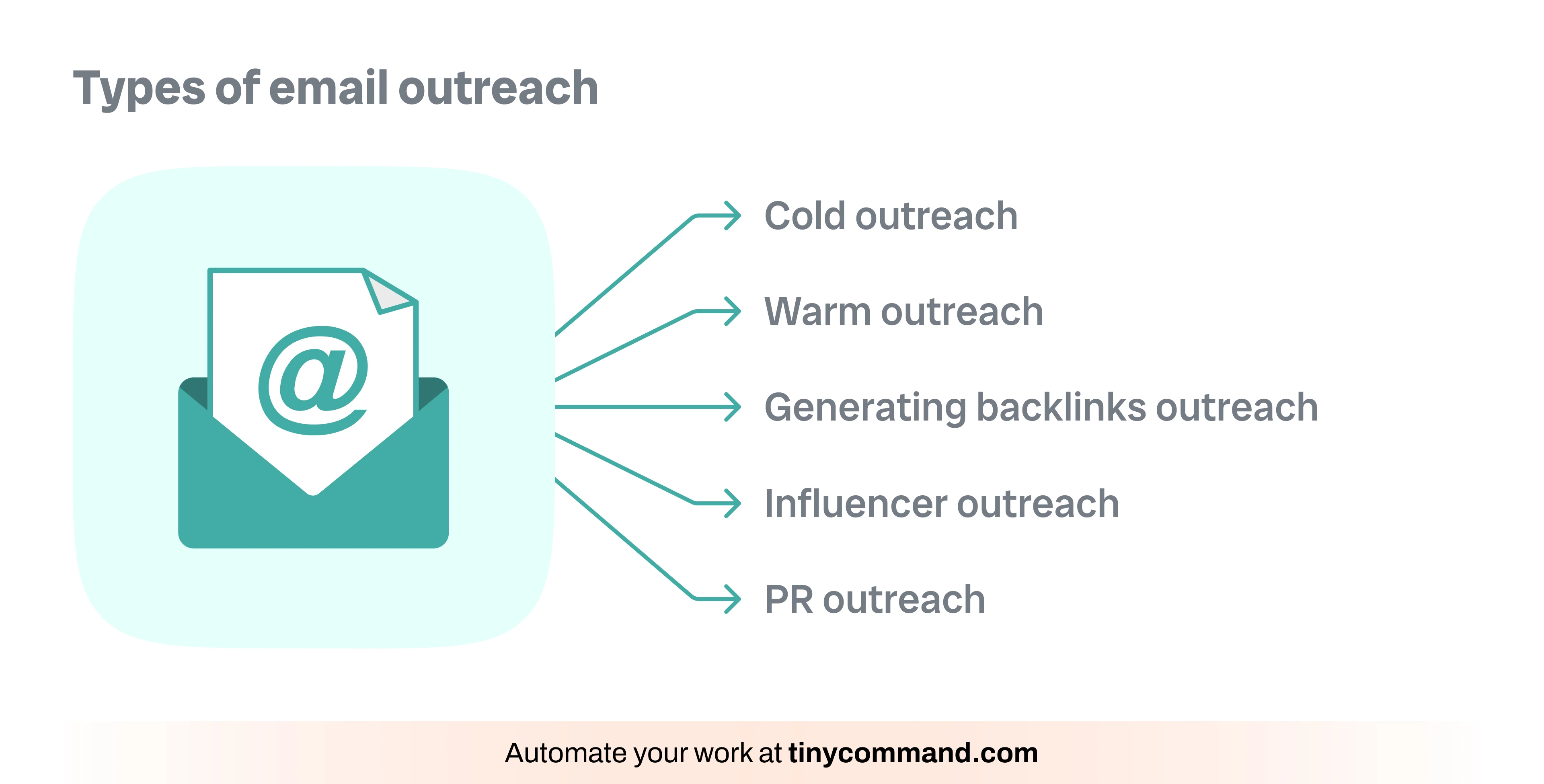
The 5 types of email outreach (each has a matching template in the templates section below) (and when to use each)
TinyEmails lets you build sequences with merge fields, AI drafting, and automated follow-ups — try it free.
Not all outreach is the same. The mistake I see most often is people using a cold sales framework for a partnership pitch, or writing a link building email like they're trying to close a deal. Each type has its own rules.
1. Cold sales outreach
You have a product or service. You're reaching out to someone who's never heard of you. The goal is a meeting or a demo.
When to use it: You've identified companies that match your ICP (ideal customer profile) and you need to start conversations with decision-makers.
What works: Short emails (under 75 words), one clear ask, proof you've done homework on their specific situation. Woodpecker's analysis of 20 million cold emails found that emails between 50 and 125 words had the highest response rates, with the sweet spot right around 75 words.
What doesn't work: Feature dumps. Nobody cares about your platform's capabilities in email one.
2. Warm outreach
You have some connection. Maybe they downloaded a resource, attended your webinar, or someone introduced you. The goal is the same as cold, but you have a warmer entry point.
When to use it: Leads from inbound marketing, event attendees, mutual connections, or people who engaged with your content.
What works: Referencing the specific touchpoint. "I saw you downloaded our workflow automation guide last Tuesday" is 10x better than a generic opener.
3. Partnership outreach
You want to collaborate. Co-marketing, integrations, affiliate deals, joint webinars. The goal is a conversation about mutual benefit.
When to use it: You've identified companies with overlapping audiences but non-competing products.
What works: Leading with what you bring to the table, not what you want. Show them the math: your audience size, your engagement metrics, the specific value for their customers.
4. Link building outreach
You want a backlink from their site. The goal is getting your content referenced, cited, or featured.
When to use it: You've published something genuinely useful (original research, a tool, a comprehensive guide) and want to build domain authority.
What works: Finding pages with broken links or outdated resources and offering yours as a replacement. Ahrefs' study of 12 million outreach emails found that personalized link building emails had a 5.1% success rate versus 0.5% for generic blasts.
5. Customer reactivation outreach
You're reaching out to people who used to be customers but churned, or who signed up but never activated. The goal is bringing them back.
When to use it: You have a list of churned or dormant users and you've shipped something new that addresses why they left.
What works: Acknowledging the gap honestly. "We noticed you stopped using TinyCommand six months ago" is fine. Then show them specifically what changed since they left. A new feature, a pricing change, a capability they asked for.
Setting up your outreach infrastructure (do this before you send a single email)
I've watched people spend weeks crafting the perfect cold email, then send it from a domain with no authentication and wonder why their open rate is 8%. Infrastructure isn't sexy. It's mandatory.
Step 1: Get a dedicated sending domain
Never send cold outreach from your primary domain. If your company is yourcompany.com, buy yourcompany.io or mail-yourcompany.com and use it exclusively for outbound. If your outreach domain gets flagged, your main domain stays clean.
Cost: about $12/year for a .io domain. The cheapest insurance you'll ever buy.
Step 2: Set up SPF, DKIM, and DMARC
These three authentication protocols tell email providers that you're a legitimate sender. Without them, you're shouting into a void.
- SPF (Sender Policy Framework): A DNS record that lists which servers can send email on your domain's behalf. Add a TXT record to your DNS.
- DKIM (DomainKeys Identified Mail): A cryptographic signature that verifies emails weren't tampered with in transit. Your email provider generates this.
- DMARC (Domain-based Message Authentication, Reporting and Conformance): A policy that tells receiving servers what to do with emails that fail SPF or DKIM checks. Start with `p=none` for monitoring, move to `p=quarantine` after a few weeks.
Google's February 2024 sender requirements made all three mandatory for anyone sending more than 5,000 emails per day. But even if you're sending 50 emails a day, having all three configured dramatically improves deliverability.
You can verify your setup for free at MXToolbox.
Step 3: Warm up your domain
A brand new domain sending 100 emails on day one is a red flag to every spam filter on the planet.
Start slow. Send 5-10 emails per day in week one. Increase by 5-10 per day each week. Mix in genuine conversations (reply to real emails from this account). Use a warm-up service like Instantly's warmup tool or Warmup Inbox to simulate real engagement.
This takes 2-4 weeks. There are no shortcuts. I've tried.
Step 4: Set up a proper sending tool
You need something that handles scheduling, follow-up sequences, and basic analytics without requiring you to manually track 200 email threads.
TinyEmails handles the email creation and sequence building. You design the emails, set up the cadence, and let the sequences run. When you pair it with TinyWorkflows, you can trigger outreach based on specific events: a form submission, a CRM status change, a lead hitting a certain enrichment score.
The point is: separate your sending infrastructure from your writing workflow. The tool that sends the email doesn't need to be the tool that decides when to send it.
Writing emails that get replies, not spam reports
The writing is where most outreach campaigns fail. Not because people are bad writers, but because they write for the wrong audience. They write to impress. They should write to be useful.
The 50-125 word rule
Boomerang's analysis of 40 million emails found that emails between 50 and 125 words had response rates above 50%. Emails over 200 words dropped below 40%.
I've tested this extensively. My best-performing cold emails cluster around 60-80 words. That's roughly 4-5 sentences. It feels impossibly short until you realize that the job of email one isn't to close a deal. The job of email one is to get a reply.
Personalization that actually works
"I saw your LinkedIn profile" is not personalization. Neither is "I noticed your company is in the SaaS space."
Real personalization means you found something specific and connected it to your pitch. Three approaches that consistently work:
Trigger-based: "Congrats on the Series B announcement last week. Scaling a sales team from 8 to 25 reps usually means your CRM workflows break around month three. We help with that."
Content-based: "Your blog post on reducing churn through onboarding sequences had a framework we've been referencing internally. We built something similar into our automation platform."
Pain-based: "I noticed your pricing page has a 'Contact Sales' form but no self-serve option. Our data shows that adding a self-serve trial flow increases qualified pipeline by 30-40% for mid-market SaaS."
Notice the pattern: specific observation, then a bridge to relevance. No flattery, no filler.
Subject lines
Short beats long. Marketo's research found that subject lines with 4-7 words get the highest open rates. My own testing backs this up.
Lines that work for me:
- "Quick question about [specific thing]"
- "[Mutual connection] suggested I reach out"
- "[Their company name] + [your company name]"
- "Saw your [specific trigger event]"
Lines that don't work:
- Anything with "synergy"
- ALL CAPS anything
- "Just checking in" (unless it's a follow-up)
- Questions that are obviously rhetorical
5 outreach templates you can steal today
These are real templates I've used. I've stripped out company-specific details and replaced them with fill-in-the-blank markers. Adapt the voice to match your brand.
Template 1: Cold sales outreach (first touch)
Subject: Question about [their specific process]
Hi [First Name],
I noticed [specific observation about their company, 1 sentence max].
We help [their type of company] [specific outcome, with a number if possible]. [One sentence about how, without jargon.]
Worth a 15-minute call this week?
[Your name]
Why it works: 52 words. One observation, one value statement, one ask. Nothing to skim past.
Template 2: Warm follow-up after content engagement
Subject: Re: [resource they downloaded/webinar they attended]
Hi [First Name],
You grabbed our [specific resource name] last [day of week]. Curious, are you working on [problem the resource addresses]?
We've been helping teams like [similar company] cut their [specific metric] by [number]. Happy to share what's working if that's relevant.
[Your name]
Why it works: References a specific action they took. Asks a genuine question. Offers value before asking for time.
Template 3: Partnership pitch
Subject: [Your company] + [their company]
Hi [First Name],
I run [your role] at [your company]. We have [audience size/metric] [audience description] who regularly ask us about [their product category].
I think there's a clean co-marketing play here: [one specific idea, like a joint webinar or integration guide].
Would you be open to a quick chat about this?
[Your name]
Why it works: Leads with what you bring. Proposes a specific collaboration rather than a vague "let's partner."
Template 4: Link building outreach
Subject: Resource for your [specific page topic] post
Hi [First Name],
I was reading your article on [topic] and noticed the link to [broken/outdated resource] might be worth updating.
We published [your resource title] last month that covers [specific angle]. It includes [unique value: original data, interactive tool, updated stats].
If you think it's a fit, happy to send the link. Either way, solid article.
[Your name]
Why it works: Gives them a reason (broken/outdated link). Describes the resource without being pushy. The "either way, solid article" line reduces pressure.
Template 5: Customer reactivation
Subject: Things changed since you left
Hi [First Name],
It's been [timeframe] since you used [your product]. Wanted to flag a few things that shipped since then:
- [Feature 1, one line, relevant to why they churned]
- [Feature 2, one line]
- [Feature 3, one line]
Want to take another look? I can set up a quick walkthrough of what's new.
[Your name]
Why it works: Acknowledges the gap without guilt-tripping. Lists concrete changes. Simple ask.
The follow-up sequence: how many is too many?
The data on follow-ups is clear, and most people give up too early.
Woodpecker's research across 20 million campaigns found that the first follow-up increases reply rates by 49% compared to a single email. The second follow-up adds another 12%. After the third follow-up, the incremental gain drops to near zero.
Three follow-ups. That's the number. Here's my cadence:
Day 1: Initial email.
Day 3: First follow-up. Short, adds new information or a different angle. Not "just bumping this up."
Day 7: Second follow-up. Often a case study or specific data point relevant to them.
Day 14: Final follow-up. Direct and honest: "I'll assume this isn't a priority right now. If things change, happy to pick this up."
The spacing matters. Yesware's analysis found that sending follow-ups within 24 hours feels aggressive and actually decreases reply rates. Two to three days between the first two emails, then a week before the third, gives people time to process without forgetting.
What to say in follow-ups
The biggest mistake is repeating your original pitch. Each follow-up needs to add something:
- Follow-up 1: A different angle on the same problem. "One thing I didn't mention..."
- Follow-up 2: Social proof or a data point. "We just wrapped a project with [similar company] and they saw [result]."
- Follow-up 3: The graceful exit. This one actually gets the most replies in my experience. Something about explicitly giving them an out makes people comfortable enough to respond.
Never, ever write "just following up" or "circling back" as your entire email. Those emails get deleted before the second line.
Automating outreach without losing the human touch
Here's where most outreach goes wrong: people automate too much too early, or they automate the wrong things.
The parts worth automating:
- Scheduling and sending sequences so you don't have to manually track who needs a follow-up on which day.
- Triggering outreach based on events like a form submission, a website visit, or a lead score threshold.
- Data enrichment so you're not manually looking up every prospect's company size and tech stack.
- Reporting so you know which sequences convert and which ones don't.
The parts that should stay manual:
- The first line of personalization in cold emails. Automate the structure, write the personalization by hand.
- Replies. When someone responds, a human needs to take over immediately. Automated reply handling is where trust dies.
- Adjusting the strategy based on what's working. No automation tool can tell you why a template is underperforming.
How this works with TinyCommand
TinyWorkflows handles the event-driven logic. You set up triggers: when a lead fills out a TinyForms form, when a contact in TinyTables hits a certain status, when an enrichment score crosses a threshold. The workflow decides what happens next.
TinyEmails handles the actual email creation and sequence management. You build your templates, set your follow-up cadence, and the sequence runs on its own.
The combination means you can do something like: prospect fills out a demo request form, TinyWorkflows enriches their data, scores them, and if they're above a certain threshold, TinyEmails fires off a personalized sequence from a sales rep's address. If they're below the threshold, a different nurture sequence kicks in.
The key is that the automation handles the logistics while the messaging stays human. The emails that go out should read like a person sent them at their desk, not like they were batch-generated by a machine.
Metrics that matter (and the benchmarks to aim for)
Stop tracking vanity metrics. Here's what actually tells you whether your outreach is working.
Open rate
What it tells you: Whether your subject line and sender reputation are doing their job.
Benchmarks: Mailchimp's 2024 email marketing benchmarks put average open rates between 30-40% across industries. For cold outreach specifically, 40-60% is solid. Below 30% means your deliverability is broken or your subject lines need work.
Caveat: Apple's Mail Privacy Protection (launched in 2021) pre-loads tracking pixels, inflating open rates by 15-30%. Don't over-index on this metric.
Reply rate
What it tells you: Whether your email content resonates.
Benchmarks: For cold sales outreach, 5-15% reply rate is typical. Above 15% means your targeting and messaging are dialed in. Below 5% means something is off: wrong audience, wrong message, or both.
For warm outreach, you should see 15-30%.
Positive reply rate
What it tells you: Whether people are interested or just telling you to go away.
Track this separately from total replies. If you have a 12% reply rate but 8% of those are "please unsubscribe me," your real positive reply rate is 4%. That's not good.
Meeting/conversion rate
What it tells you: Whether your outreach actually generates business.
Benchmark: 1-3% of cold outreach emails converting to a meeting is respectable. For warm outreach, 5-10%.
This is the only metric that matters to your business. Everything else is diagnostic.
Bounce rate
What it tells you: Whether your email list is clean.
Benchmark: Keep it under 2%. Above 5% and email providers start penalizing your sender reputation. Verify emails before sending using a tool like ZeroBounce or NeverBounce.
7 mistakes that destroy your deliverability (most stem from skipping the infrastructure steps above)
These aren't abstract warnings. Every single one of these has cost me campaigns.
1. Sending from your primary domain
I already said this. I'm saying it again because people still do it. When your outreach domain gets a spam complaint, you want that damage contained. Not bleeding into the domain that handles your customer communication, your transactional emails, and your team's daily work.
2. Skipping the warm-up period
Bought a new domain on Monday, loaded 500 prospects on Tuesday, blasted them all on Wednesday. By Thursday, you're in spam. I've seen this play out at least a dozen times. Two to four weeks of gradual ramp-up is non-negotiable.
3. Using purchased email lists
Those "10,000 verified B2B leads for $99" lists are poison. The contacts are scraped, outdated, or both. Bounce rates will be astronomical, spam complaints will spike, and your sender reputation tanks. Build your list through research, or use a reputable data provider like Apollo, ZoomInfo, or Clearbit and verify everything before sending.
4. Ignoring unsubscribe requests
The CAN-SPAM Act requires a functioning unsubscribe mechanism in commercial emails. The penalties are up to $51,744 per email according to the FTC's enforcement guidelines. Beyond legality, ignoring opt-outs is just bad strategy. Someone who doesn't want your emails won't become a customer because you kept emailing them.
5. Sending too many emails too fast from a single address
Google and Microsoft throttle senders who spike volume suddenly. If you normally send 20 emails a day and suddenly send 200, expect problems. Scale gradually. Spread sending across multiple addresses if you need higher volume. A good rule: cap at 50 cold emails per address per day.
6. Writing one email and blasting it to everyone
Mass personalization tools have gotten better, but they haven't eliminated the need for segmentation. An email that works for VP-level SaaS buyers won't work for SMB e-commerce owners. Segment your list by company size, industry, role, and pain point. Write specific emails for each segment. Yes, it takes longer. Yes, it works better.
7. Not monitoring your sender reputation
Your sender reputation is a score that email providers use to decide whether your emails reach the inbox. Check it regularly using Google Postmaster Tools (free) and Sender Score by Validity. If you see your reputation dropping, stop sending immediately, figure out what went wrong, and fix it before you resume.
Ready to send outreach that actually gets replies?
TinyEmails + TinyWorkflows = sequences that personalize, follow up, and track — without Mailchimp or Lemlist. 250 businesses already made the switch.
Start your first sequence free →
FAQ
How many cold emails should I send per day?
Start with 20-30 per email address per day. Scale up gradually to a maximum of about 50. If you need higher volume, add more sending addresses rather than pushing a single address past its limit. Google's sending limits cap Gmail at 2,000 emails per day, but hitting that cap with cold outreach will destroy your reputation long before you reach it.
What's a good open rate for cold email outreach?
Between 40-60% for targeted cold outreach. If you're below 30%, check three things in this order: your sender authentication (SPF/DKIM/DMARC), your domain reputation (Google Postmaster Tools), and your subject lines. Deliverability issues account for most low open rates, not bad subject lines.
Is cold email outreach legal?
In the US, yes, under the CAN-SPAM Act, as long as you include accurate sender information, a physical mailing address, and an unsubscribe mechanism, and you honor opt-outs within 10 business days. In the EU, the GDPR requires a legitimate interest basis for B2B outreach. In Canada, CASL is stricter and generally requires prior consent. Know the laws for the countries you're emailing into.
How long should I wait before following up?
Two to three days after the initial email for your first follow-up. Then five to seven days for the second. Then two weeks for the final. Yesware's data shows that following up within 24 hours decreases response rates. Give people enough space to respond naturally, but don't let so much time pass that they've forgotten your initial message.
Should I use HTML emails or plain text for outreach?
Plain text for cold outreach. Always. HubSpot's A/B testing found that HTML emails with images actually decrease open and click-through rates compared to plain text. HTML emails also trigger more spam filters. Save the designed templates for newsletters and marketing emails where the recipient opted in. Cold outreach should look like one person writing to another person.
Ready to build outreach sequences that actually get replies? TinyEmails gives you AI-powered email building with sequence automation, and TinyWorkflows triggers the right emails at the right time based on real events. Start free.
Recommended Blogs